Howdy All!
I thought some of you might find it interesting to take a peek behind the curtain to see how our ‘2.5D’ scenes are set up in Unity. I put together a couple images of the new Dome scene showing the various components that allow our 3D Characters to walk around and interact with a 2D background.
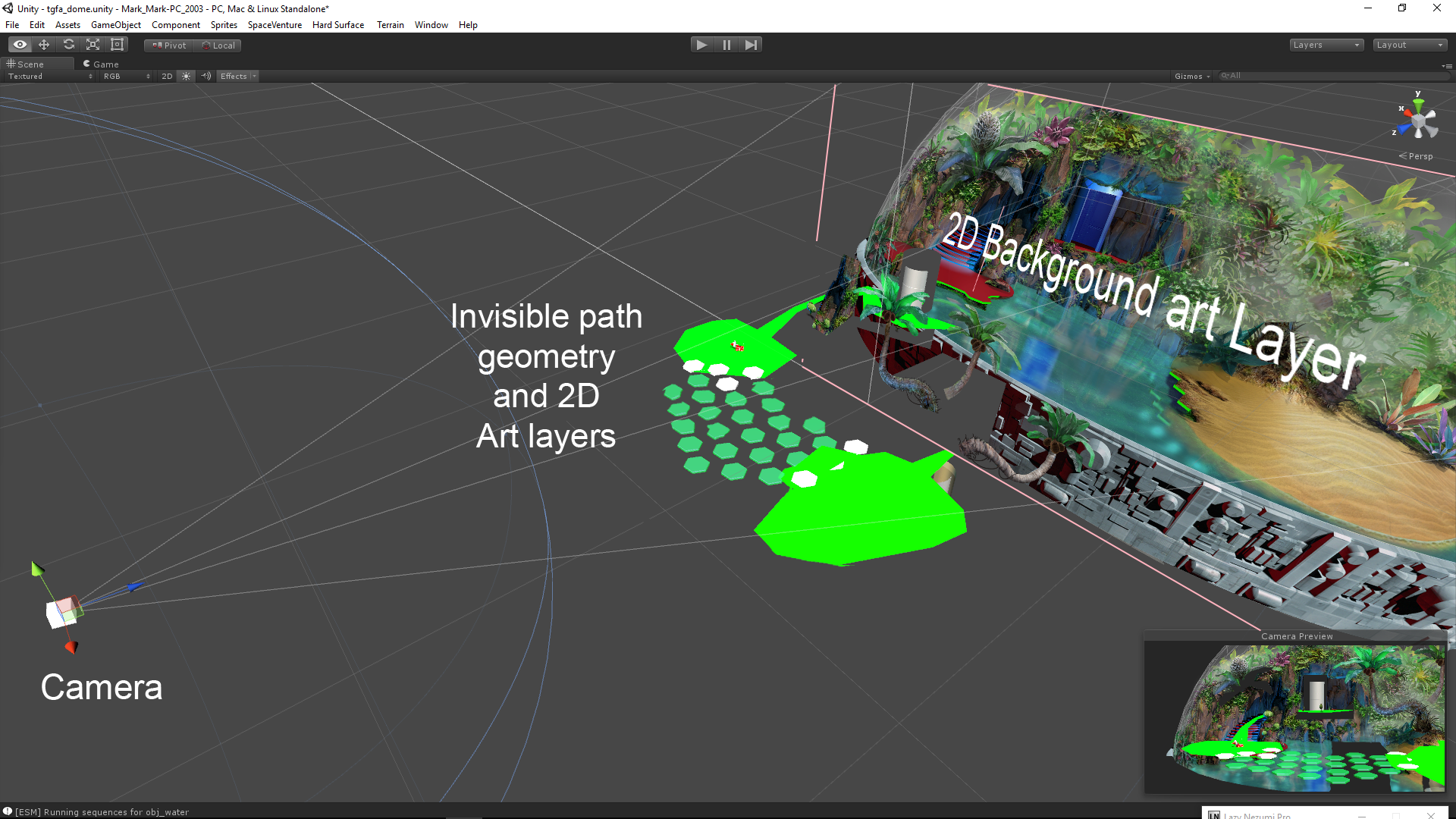
The process starts with creating 3d path geometry that perfectly aligns with the 2D background art from the Camera’s POV. This path geometry is the physical ground that the 3D characters walk around on in 3D space.
The next step is creating polygonal ‘mask’ shapes that occlude the characters depending on where they are in 3D space, e.g., behind the rock or in front of it. The mask polygons are created by tracing the outline of objects in the 2D background art (rock, tree, etc) then positioning the polygons in 3D space, in front of the camera,and visually aligned with the background art. An ‘InvisibleMask’ material applied to these mask shapes occlude (hide) the 3d characters when they walk behind them while allowing the background art to show through- effectively acting as an ‘invisiblity cloak’ to the 3d character.
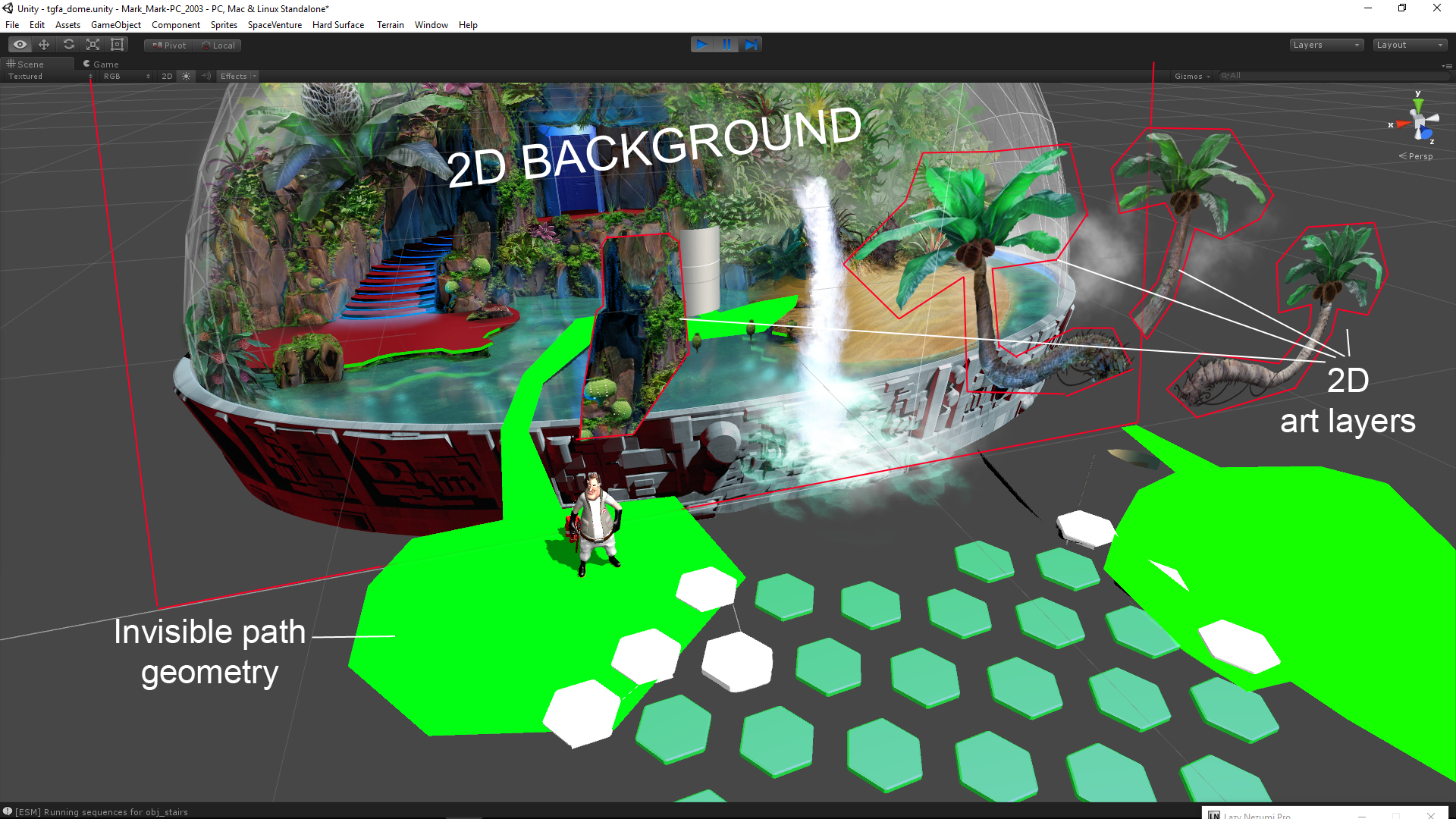
Lastly, we add a bunch of invisible 3D boxs with collider scripts for each and every interactive element represented in the 2D background artwork. These serve a couple purposes: Mainly, they are for detecting your mouse clickity-clicks within the scene. But they also serve as ‘LookAt’ and “WalkTo” targets for the characters. So when you the Player clicks on a item of interest, Ace turns to face that object in 3D space and/or walks to that location.
I hope this look at the technical side of scene creation was of interest.
Cheers!
-Mark


Leave a Reply